Two Blazor clients, built from the same spec by the same model with the same prompt, and they diverged on the first day. Blazor WebAssembly passed fourteen of fifteen steps first time and lost one verdict to a flaky test. Blazor Server passed all fifteen first time, and its second step cost 85 turns and twenty minutes, more than any other session in the whole comparison, because the model had to learn, by failing tests, that a Blazor Server page is visible before it is alive. This part walks both builds, quotes what the model worked out, and shows where WebAssembly and Server stopped looking like the same framework.
- Read the two instruction files, WebAssembly and Server; only the stack block differs
- Open sessions.csv and compare the blazor-wasm and blazor-server rows for step 1
- Clone the repository;
clients/blazor-server/BlazorServerClient/wwwrootholds five small JavaScript files, each one a timing problem the model solved on the browser side - Find
Virtualizein bothListPage.razorandHome.razorand compare the overscan values - Run step 14 of either client yourself with the command at the end
- Read the step 14 summary of the WebAssembly build for the honest account of a dev server that did not start in time
The sessions, side by side
Both scaffolds are the official templates on .NET SDK 10.0.403: dotnet new
blazorwasm for a standalone WebAssembly app, and dotnet new blazor
with interactive Server render mode everywhere and prerendering left on, because
prerendering is part of what Blazor Server is. Nullable stays on. Turns and meter come
from the transcripts; the verdict is the harness running the frozen suite afterwards.
| Step | WASM turns | WASM meter | WASM verdict | Server turns | Server meter | Server verdict |
|---|---|---|---|---|---|---|
| 0 Shell | 32 | $1.03 | pass | 33 | $1.02 | pass |
| 1 Lists | 18 | $0.56 | pass | 85 | $2.35 | pass |
| 2 Tasks | 13 | $0.43 | pass | 16 | $0.52 | pass |
| 3 Detail panel | 21 | $0.72 | pass | 23 | $0.75 | pass |
| 4 Filters | 20 | $0.53 | pass | 15 | $0.43 | pass |
| 5 Search and sort | 16 | $0.44 | pass | 17 | $0.47 | pass |
| 6 Drag-and-drop reorder | 17 | $0.44 | pass | 22 | $0.60 | pass |
| 7 Subtasks | 18 | $0.46 | pass | 18 | $0.50 | pass |
| 8 Bulk actions | 27 | $0.62 | pass | 25 | $0.61 | pass |
| 9 Undo | 34 | $0.84 | fail, then pass with no change | 19 | $0.52 | pass |
| 10 Keyboard shortcuts | 27 | $0.81 | pass | 28 | $0.65 | pass |
| 11 Dark mode | 19 | $0.37 | pass | 14 | $0.31 | pass |
| 12 Import and export | 28 | $0.56 | pass | 30 | $0.66 | pass |
| 13 Recurring tasks | 16 | $0.46 | pass | 14 | $0.48 | pass |
| 14 The 10,000-item list | 27 | $0.75 | pass | 19 | $0.51 | pass |
WebAssembly: 16 sessions, 333 turns, $9.03, 63 minutes of wall time, no dependency added. Server: 15 sessions, 378 turns, $10.38, 53 minutes, no dependency added. Take step 1 out and Server is the cheaper build; leave it in and it is the dearest of the four clients. Both numbers are real, and the step 1 story is why.
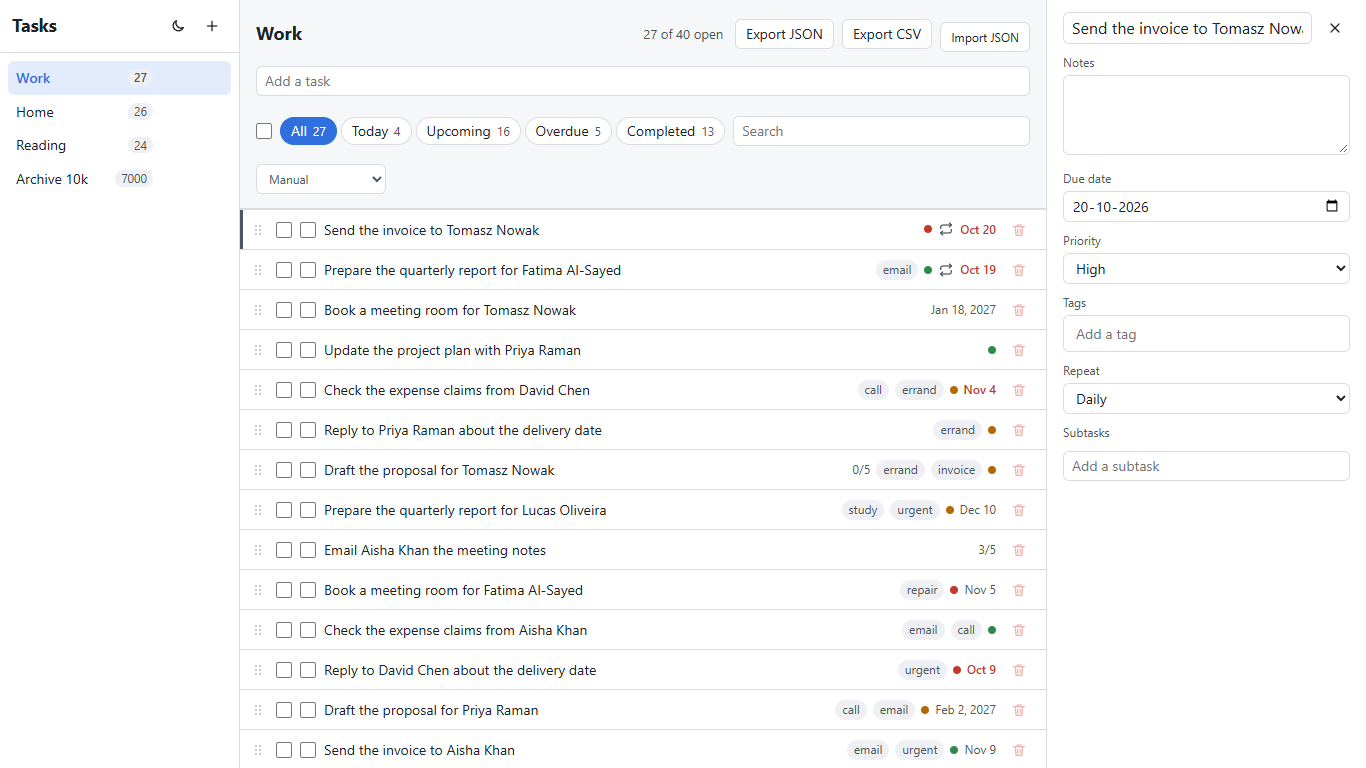
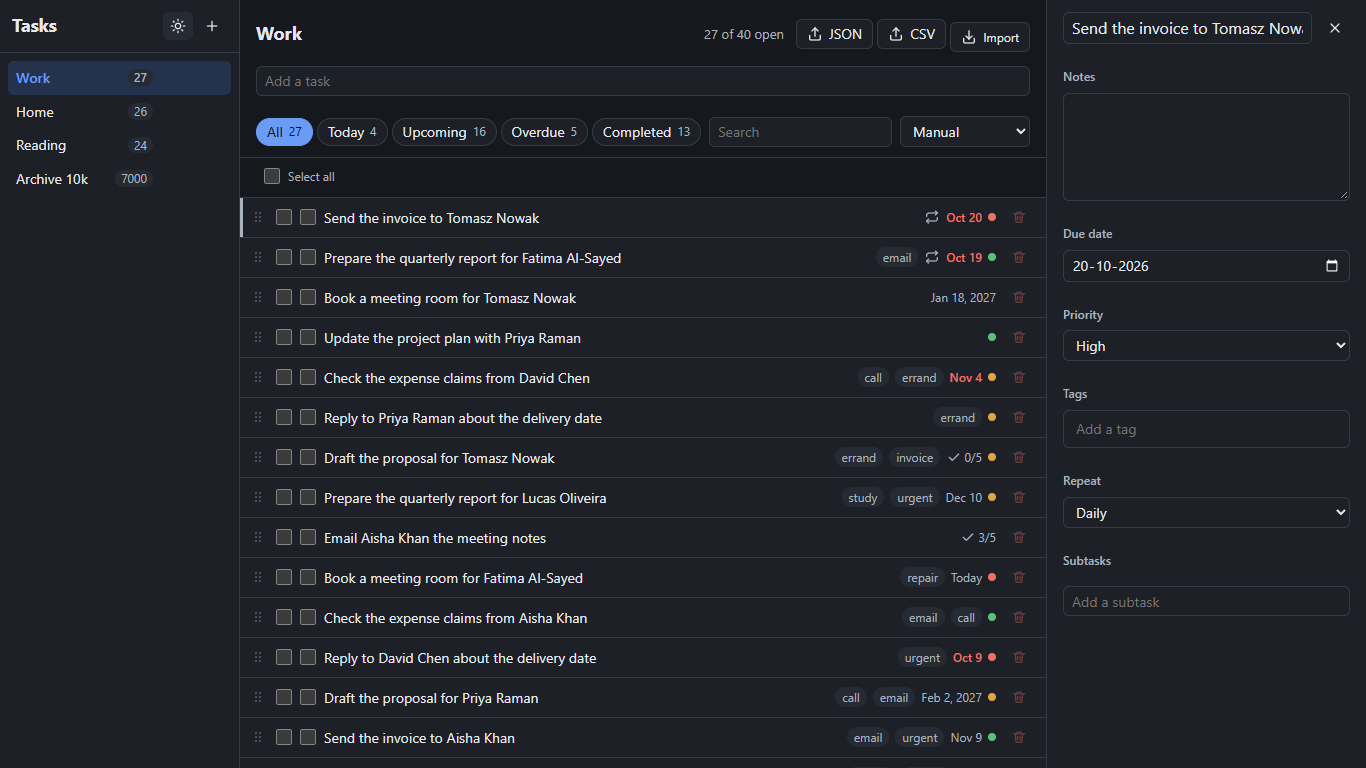
Blazor Server, step 1: a page that is visible before it is alive
The step is adding, renaming and deleting lists. The WebAssembly session did it in
eighteen turns. The Server session ran the suite thirteen times and wrote, in its
summary, three timing problems it had to fix. First: "The page is shown before its
connection to the server is up, and clicks in that window do nothing." Prerendering
paints the page, the circuit connects a moment later, and the test clicks in between.
The fix was to show the rows only once the page is interactive. Second, the inline
rename editor: "If the server opens the editor, it appears only after a round-trip, and
anything typed right after the click goes nowhere." The model's answer was to keep the
editor in the page, hidden, and have a few lines of JavaScript show and focus it on the
click itself, with the server catching up afterwards. Third, a stale sidebar name after
a double-click, because the first click reloaded the lists. Along the way it hit a C#
compile error for a second file with top-level statements, wrote a debug log to a
folder it should not have touched and said so ("while debugging I wrote a log file
outside this folder"), and finished by running the two steps together ten times with
100 of 100 passing. Everything after that reused the pattern: Escape in
panel.js, reorder in reorder.js, shortcuts in
shortcuts.js, the theme in theme.js so that, in its words,
"Blazor's re-renders never reset the theme." Five JavaScript files in a framework whose
selling point is C#; each one is the right answer to a round trip the user should not
feel.
Where the two builds diverged
Who talks to the API. In WebAssembly the browser calls the API; the
app's appsettings.json holds the address. In Server, "The Blazor server
process makes the API calls; the browser never does." That one sentence from the step 0
summary decided step 12: WebAssembly's export buttons are plain links to the API's
export endpoint, while Server had to add a pass-through endpoint on its own host so the
browser could download a file it is not allowed to fetch itself. The spec never
mentions it; the architecture did.
Drag-and-drop. WebAssembly used the browser's drag events through Blazor's own event bindings: "It uses the browser's built-in drag and drop through Blazor's own drag events, with no library and no extra CSS." Server moved the drag handling into the browser and called the page once on drop, because a drag-over event per pixel over a circuit is not a thing anyone wants.
Search. Both filter on every keystroke with no debounce, as the spec demands. Only the Server session had to think about what that means over a wire: "On a slow connection, a URL update can come back after the user has already typed the next letter." It ignores its own URL echoes so the box does not jump back. The results post measures exactly this, one key at a time at 100 ms round trip.
The 10,000-row list. Both reached for the built-in
Virtualize component with a 40-pixel row size, and neither added a library:
Server's summary says "No library and no hand-rolled code." The settings differ.
WebAssembly chose ten rows of overscan, Server fifty, so that the ordinary lists of 35 to
45 tasks stay fully rendered and drag-to-reorder keeps working on them. The WebAssembly
session also found that until step 14 the page had been drawing every open task and
re-sorting all ten thousand on each render ("before this, all 6,999 open tasks were
drawn") and fixed that too. The first row appeared about 3.1 seconds after the click in
WebAssembly and about 0.3 seconds in Server. That gap is the download and start of a
.NET runtime in the browser against a page the server had already rendered, and Part 5
puts numbers on both.
<Virtualize Items="_rows" ItemSize="40" OverscanCount="10">What the AI got wrong: in WebAssembly, step 0 left the template's Counter and Weather pages, the navigation menu and Bootstrap on disk because deleting needed a permission it did not have ("your permission settings blocked deleting files and copying with cp"), and said so; they are still reachable at their old routes. Step 10 reported a panel test that failed about once in fifty full runs, with a screenshot showing text typed into the subtask input and Enter never creating it, and could not finish the investigation because comparing against the previous commit needed a stash it was not allowed. Step 14's two full-suite runs each lost a test to the app not having started in time, the page still on its loading text; the model's reading, "I think this is the dev server being slow to start the app late in a long run, not something step 14 broke.", is honest and unproven. In Server, the debug log outside the folder, one nullable warning carried from step 1 to step 14 and never fixed, and the check-testids script run without its argument so it only printed its usage. Across both: 69 denied shell commands, mostly the harness's copy and delete rules, each one a turn. Two things the suite never caught and a person found in minutes: in WebAssembly, pressing Enter in the panel's subtask box adds nothing and drops focus, and the tag box needs you to leave it and come back before Enter works (the step 10 session had seen exactly this and called it a one-in-fifty flake); in Server, clicking another list within a second of clearing the search loses the click, because the server's delayed URL update for the search wins. Server also ignores Escape while a panel field has focus, which the other three do not.
What it tells you about building Blazor with an assistant
WebAssembly behaved like React with a longer startup: the model knew the component
model, used Virtualize without being told it existed, and the only friction
was the harness. Server is different in kind. Every interaction is a round trip, and the
model did not know that until tests told it, then solved it the way an experienced
Blazor Server developer would: a little JavaScript at the edge, state kept on the
server, optimistic updates where the spec allowed them. It paid for the lesson once,
85 turns, and never again; from step 2 on, Server was as cheap as WebAssembly. If you let
an assistant build Blazor Server, put the lesson in the CLAUDE.md on day one: the page
prerenders, the circuit comes later, and anything a user does in that window must either
wait visibly or be handled in the browser. That one paragraph would have saved the
comparison's most expensive session.
The meter: WebAssembly 16 sessions, 333 turns, $9.03, plus $0.09
for the retry that changed nothing; Server 15 sessions, 378 turns, $10.38, of which
step 1 alone was $2.35. List price from Claude Code's total_cost_usd;
on a Max plan a measure, not a bill.
Checkpoint: clients/blazor-wasm and
clients/blazor-server in
the repository,
commits "step 00: Shell" to "step 14: The 10,000-item list" in each, exactly as the
sessions left them.
Do it yourself
Run step 14 of either build again with the published prompt and compare your transcript with the table.
- Clone the repository, start the API on the client's port and check out the step 13 commit of the client folder:
dotnet run --project api -- --urls http://localhost:16010 --db run/blazor-wasm.db - Install the suite once:
npm installine2e, and copy.env.client.exampleto.env.clientwith the client's ports. - Sign in to Claude Code and run step 14 from the repository root:
or the same line withpowershell -NoProfile -ExecutionPolicy Bypass -File harness/run-step.ps1 -Client blazor-wasm -Step 14 -Run 1 -RunClaude harness/run-claude.ps1-Client blazor-server. - Run the frozen suite yourself:
npx playwright testine2e. In WebAssembly, run it twice; the first full run after a build is the one that may lose a test to startup. - Read the session summary at the end of the saved transcript and look for the word Virtualize.
- For Server, open the five files under
wwwrootand trace each one back to the step that added it.
What you should see: 61 passed, a turn count in the twenties, and a one-file diff that swaps a loop for a Virtualize element.
Frequently asked
- Why did Blazor Server's step 1 take 85 turns?
- A Blazor Server page is prerendered and visible before its circuit connects, and an inline editor opened by the server appears only after a round trip. The suite clicked and typed in those gaps, so the session had to discover both facts from failing tests and solve them with a loading state and a few lines of browser-side JavaScript. Every later step reused the pattern and cost no more than WebAssembly.
- Did Claude Code use Virtualize for the 10,000-row list?
- Yes, in both Blazor builds, with a 40-pixel row size matching the shared stylesheet and no extra library. WebAssembly chose an overscan of 10 rows, Server 50 so the small lists stay fully rendered for drag-and-drop. The first row appeared in about 3.1 seconds in WebAssembly and 0.3 seconds in Server.
- Which Blazor build is better for an AI-assisted project?
- WebAssembly was the smoother build: fourteen first-time passes and no framework-specific trap. Server passed everything first time too, but only after an expensive lesson about round trips that a sentence in CLAUDE.md would have taught for free. The runtime trade-off, download size against latency, is measured in Part 5.
Next: Part 3, the React build: the fewest turns, one library, and a whole app in one file.