Season one, From Prompt to Production, built ClinicLive: a clinic books appointments, checks patients in at a kiosk, and calls them from a live waiting-room board. Season two, From Prompt to Polish, made it look like someone meant it. Both seasons ended with the same person in the same chair — the patient, staring at a TV on a wall. This third and final season puts the queue in their pocket: one set of Blazor screens for an Android phone, a Windows desk and a browser, built with the same AI pair, twelve parts, every dead end kept in.
- Visual Studio with the .NET MAUI workload (the app targets .NET 10 and MAUI 10)
- The Android SDK and an emulator that boots: ours is a Pixel 5 image on Android 13, Play-services flavor so Firebase can deliver push
- Season one's PostgreSQL container in Docker, since the clinic is the server the app talks to
- Season two's Playwright screenshot harness, which photographs the browser host
- A short project folder on Windows: a path near 270 characters breaks the Windows build with
MSB3030 - The repo
github.com/rahulvyas777/clinic-live, taggedpocket-02throughpocket-11
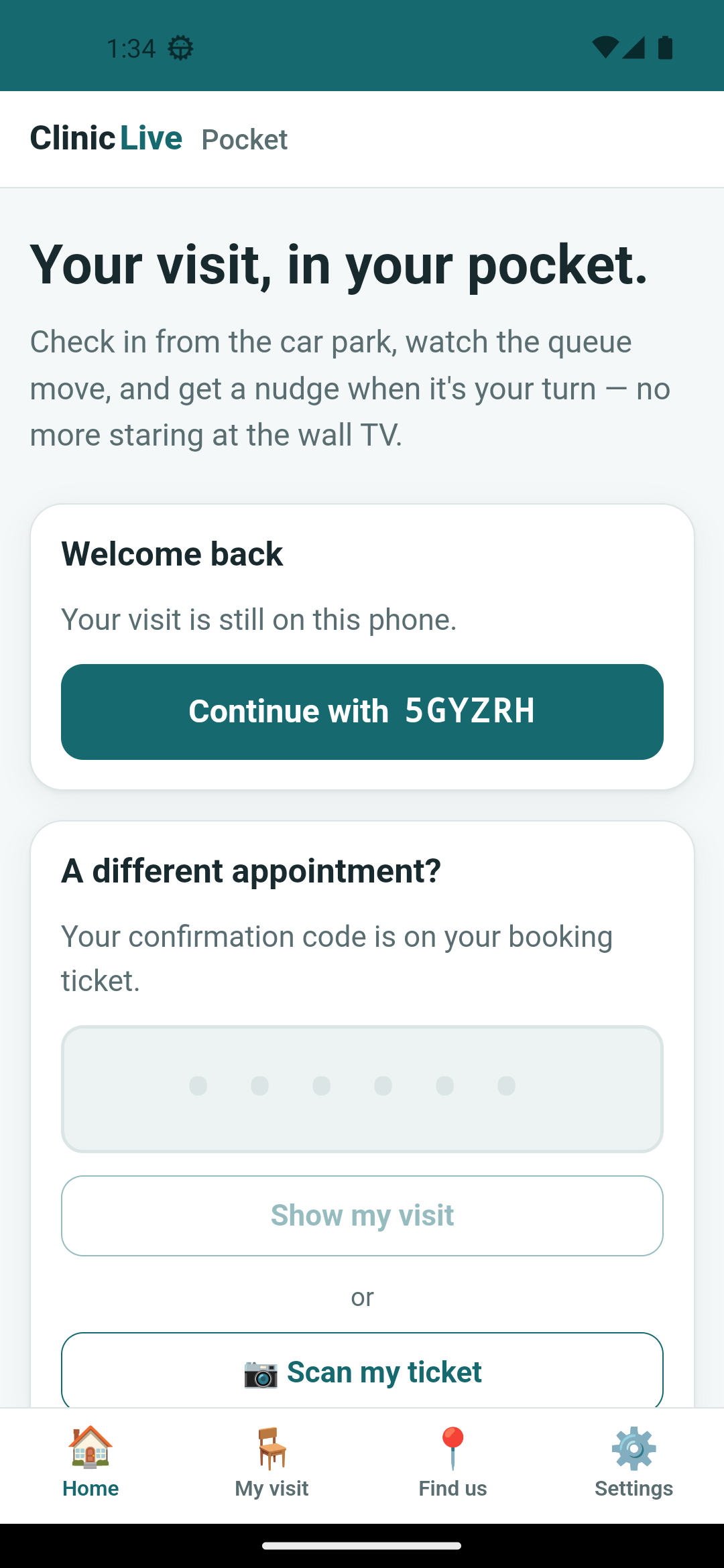 Android (Part 9)
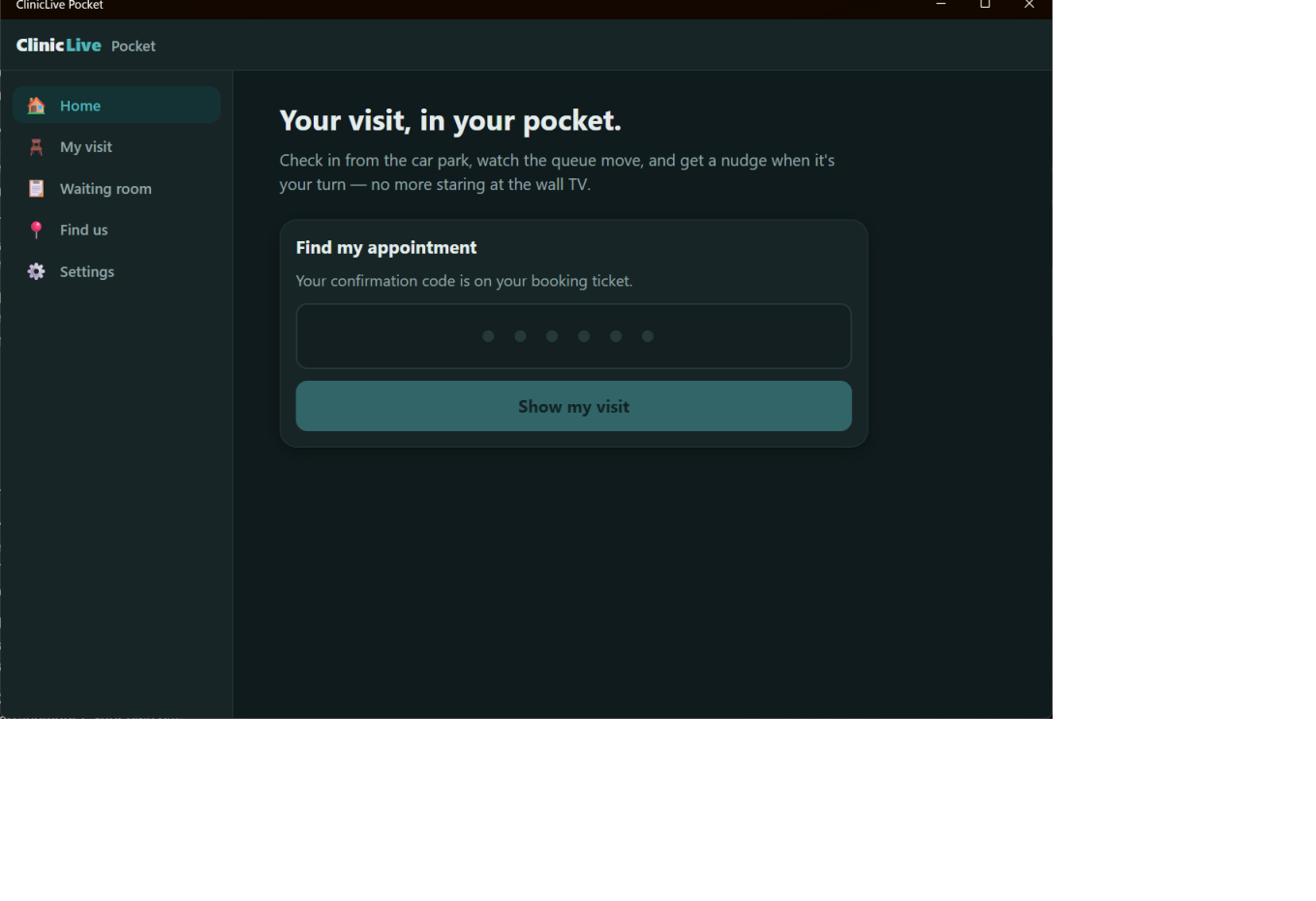 Windows (Part 10)
Why the patient deserves an app
The board from season two's Part 6 is genuinely good signage — if you're in the room. Real waiting rooms leak: people step out to the car park, take a toddler for a walk, go to the pharmacy next door, and come back to find their name was called three minutes ago. A companion app fixes the part the wall can't: check in from the car park, watch your place in the queue move, feel a buzz when you're next, and — the one that matters most — get a push notification when it's your turn even if the app is closed. Plus the boring essentials: where the clinic is, how far away you are, one tap for directions.
Notice what's not on that list. Booking stays on the website; the ticket you get there carries a six-character confirmation code, and that code is the whole credential — no account, no password, exactly as season one decided. The app is a companion to a visit that already exists, and keeping its scope that small is the first design decision of the season.
Hybrid, web or native: the honest trade
Three ways to put ClinicLive on a phone, and each has a real cost.
A responsive website. We already have one, and it works on a phone. What it can't easily do is the pocket part: vibrate, ask for a notification permission at the right moment, reach a closed app, open the camera to scan a ticket. Some of that is possible on the web with enough work (Web Push, in particular), but it's a different project and, honestly, not the one we're doing.
Fully native. Kotlin for Android, Swift for iOS, something else again for Windows. Three codebases for a team of one developer and one AI, and every Razor component from two seasons thrown away. Native gets the best result per platform; it also multiplies everything by three.
.NET MAUI Blazor Hybrid, which is what we picked. A MAUI app hosts a
BlazorWebView; your Razor components render inside it, but the C# runs natively
on the device in the .NET runtime — no Blazor Server circuit, no WebAssembly download. The UI
is HTML and CSS you already know, and the device is one C# call away: haptics, notifications,
GPS, the camera, secure storage. The trade is that the WebView is exactly that — a web view.
Anything the OS owns (the status bar, the gesture bar, the safe area, the system font) is the
OS's business, not your stylesheet's. Part 2's very first screenshot is a lesson in that
sentence.
One set of screens, three hosts
The architecture is the argument of the season, so here it is before a single prompt. The
maui-blazor-web template gives you three projects; we add a fourth:
| Project | What's in it | Rule |
|---|---|---|
ClinicLive.Contracts | The DTOs the phone and the server agree on | Share the shape of the data, never the server's code |
ClinicLive.Pocket.Shared | Every screen, once — a Razor Class Library | Nothing in here references a platform API directly |
ClinicLive.Pocket | The MAUI host: Android and Windows (iOS compiles; see below) | Answers the shared code's questions with what the device has |
ClinicLive.Pocket.Web | A Blazor Server host for the same components | Answers the same questions, honestly, as a browser |
"Answers the shared code's questions" is the pattern every native feature in this season follows, and it's simple enough to show in full now. The shared project declares an interface; each host implements it with whatever it actually has. This is the first one, and its comment is the design rationale:
/// <summary>
/// The first "capability interface" — the pattern every native feature in this app follows.
///
/// The shared UI asks the question ("what am I running on?"); each host answers it with
/// what it actually has. MAUI answers from DeviceInfo; the web host answers "a browser".
/// Nothing in the shared project ever references a platform API directly.
/// </summary>
public interface IPlatformInfo
{
    /// <summary>"Android", "Windows", "iOS", "Web"…</summary>
    string Platform { get; }

    /// <summary>OS version string, for the About screen and bug reports.</summary>
    string Version { get; }

    /// <summary>Phone-sized screen — drives the "one hand, thumbs" layout choices.</summary>
    bool IsPhone { get; }

    /// <summary>"Native app" or "Browser" — which host is rendering these components.</summary>
    string Host { get; }
}
Nine of these arrive over the season — platform info, app lifecycle, haptics, notifications, push registration, location, the camera scanner, connectivity and storage — and the browser host implements every one of them, sometimes as an honest no-op ("not here"). That honesty is the point: the shared screen never has to know which host it's on, and a feature the browser can't do simply doesn't render. The web host also earns its keep as a development tool — it's the host the season-two screenshot harness can already photograph.
The toolchain, and one bug before a single prompt
Nothing exotic was installed for this season. Visual Studio's MAUI workloads were already on the machine, with the Android SDK and an emulator: a Pixel 5 image running Android 13, the Play-services flavor so Firebase can deliver push later. That emulator is the phone in every Android screenshot you'll see; the Windows app runs on the same PC; the browser host runs under the same Playwright harness that photographed season two. Docker still provides PostgreSQL, exactly as in season one.
The first smoke build of the untouched template found the season's first bug, and it wasn't
in the template. Android built. The web host built. The Windows target failed with
MSB3030 — "could not copy" a Windows App SDK file with a very long name —
through three retries, a self-contained flag and a clean of obj/. The cause was
the folder: the scratch path was about 270 characters long, and the Windows App SDK's copy
step dies quietly past Windows' 260-character MAX_PATH. The same project in a
short folder built in 9.9 seconds.
What the AI got wrong: it spent three retries and two configuration changes on a build that was failing for a reason no configuration touches. The lesson to carry: "works on Android, fails on Windows" can be your folder name. When one target of a multi-target project fails on a file operation, look at the path before the project.
What this season does not cover
Here's the part most tutorial series skip. Four things are out of scope, and three more will turn out to be things the bench could not prove — you'll meet each one where it happens, but you deserve the list up front.
- iOS builds. The MAUI project targets iOS and Mac Catalyst and they compile — but there is no Mac on this bench, so nothing was ever built or run on Apple hardware. Every iOS file you'll see in the repo is an honest stub that says so.
- Store publishing. Part 11 produces a signed APK and app bundle for Android and a self-contained Windows folder. Nothing goes to a store.
- Web Push. The browser host gets everything except push; that's a project of its own.
- MSIX signing. The Windows app ships unpackaged. Part 11 explains what a packaged identity would buy — and why that matters for the next item.
And three limits the season ran into and kept, rather than faked: Windows toast notifications never displayed in this season (the permission said "Allowed", the code returned success, no banner — Part 5 finds it, Parts 10 and 11 explain it); the Android emulator never rendered the poster a QR scanner needs, so the on-device decode in Part 8 is proven by a round-trip test rather than a photograph; and Google Maps on the emulator crashed after our directions intent had done its job (Part 7). The screenshots of all three are in the posts, exactly as they came out.
Perishable facts, as of September 2026: this season was built with Claude Code, picking a model per part — Claude Opus 5 at high effort for the judgment calls (architecture, lifecycle semantics, diagnosing the Android insets, deciding what not to fake), currently $5 in / $25 out per million tokens, and Claude Sonnet 5 at medium effort for the plumbing, currently $3 / $15. The app targets .NET 10 and MAUI 10; the emulator runs Android 13. Prices and model names churn faster than anything else in this series — re-check them before trusting the numbers. The method — match the model to the stakes of the task — is the part that lasts.
Model pick: every part opens its toolbox in a box like this one. The standing rule from season one still holds: Opus, high effort, where a wrong decision is expensive to undo — Part 2's project structure and capability interfaces, Part 4's reconnect and resume semantics, Part 6's foreground-versus-closed push rules; Sonnet, medium, where the rules are already settled and the work is plumbing — the API in Part 3, geolocation in Part 7, the desk layout in Part 10, shipping in Part 11.
The meter: season one closed at ≈ $6.20 and season two at ≈ $3.60; season three's meter starts fresh. Nothing is on it yet except the smoke build above, which lands in Part 2's number. A spoiler worth having up front: the whole season — three hosts, push, haptics, GPS, a camera, offline, signing and CI — comes in at about $7.20 of model usage, with two dead ends responsible for more of that than any feature.
Checkpoint: there's no tag for this part — nothing was committed yet.
Before Part 2 you want the MAUI workload installed, an Android emulator that boots (any
recent Android will do; ours is Android 13), and season one's PostgreSQL container
ready, since the clinic itself is the server the app will talk to.
The repo tags this season
pocket-02 through pocket-11, one per build part, and
the series page lists all twelve.
Next: the template goes in, the template comes out, the season-two tokens move into a phone-first stylesheet, the first capability interface proves the three hosts are really rendering the same component — and the first Android screenshot catches a purple status bar and a header hidden under it. Part 2: One UI, Three Hosts: The Capability-Interface Pattern.